Quick Start
Installation
Quick Install
pip install certica
Development Setup
For development, use uv (recommended):
curl -LsSf https://astral.sh/uv/install.sh | sh
make dev-install
Interactive UI Mode
Certica features a beautiful, intuitive console UI that makes certificate management a breeze. Here’s what it looks like:
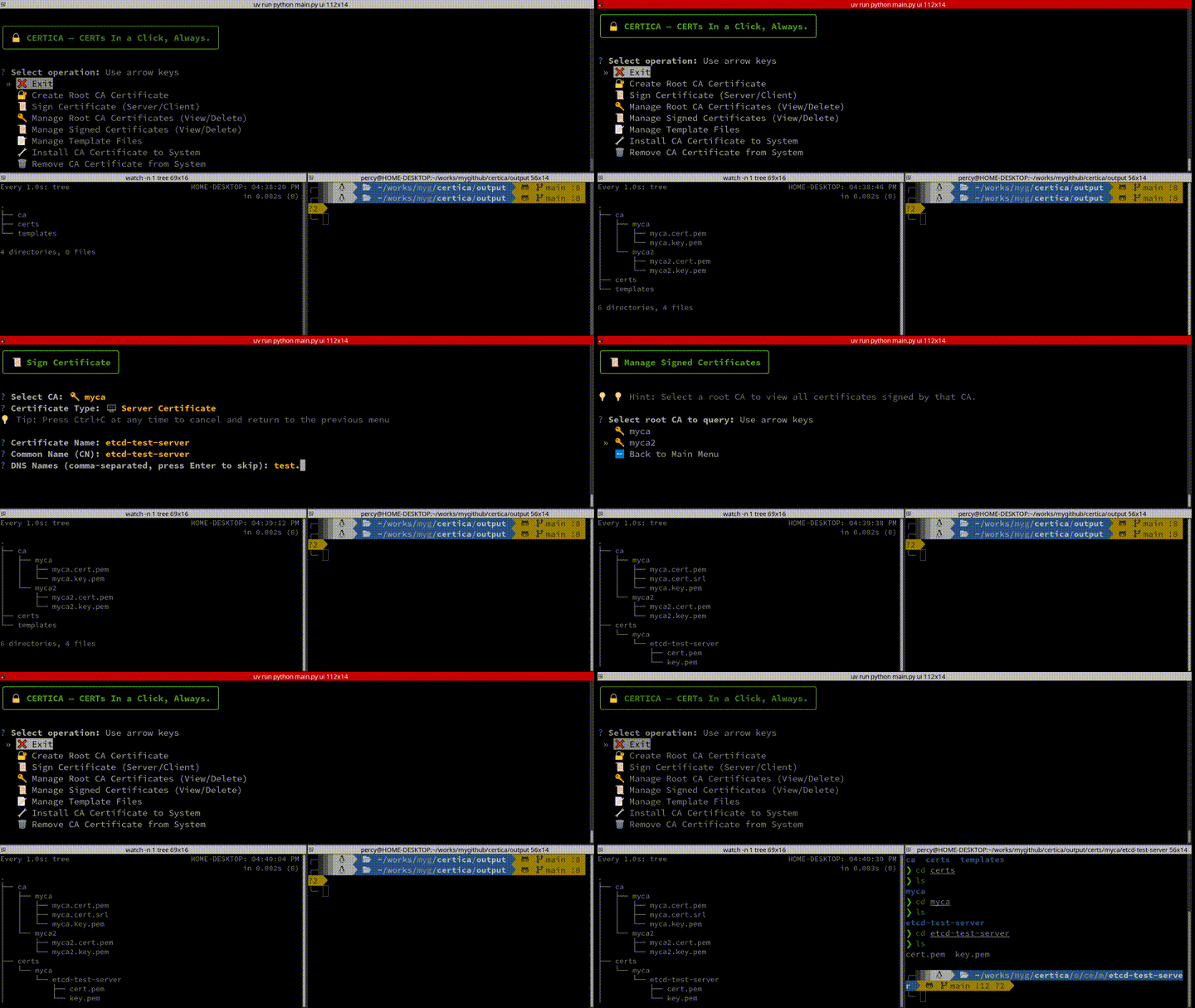
Launch the interactive UI:
certica ui
Or with a specific language:
certica ui --lang zh # Chinese
Command Line Mode
Create a Root CA
certica create-ca --name myca
Sign a Certificate
certica sign --ca myca --name nginx-server --type server \
    --dns localhost --dns example.com --ip 127.0.0.1
List Certificates
certica list-cas
certica list-certs
Install to System
sudo certica install --ca myca
For more detailed information, see the User Guide.